 Skip to content
Strategy #2:
💬 The Instagram + ManyChat DM Hack
Alright, let me share something really cool with you.
👉 Imagine that someone drops a comment on your Instagram post… and without you doing a thing, they instantly get a helpful DM with the exact freebie you promised.
❌ No chasing people in the DMs.
❌ No constantly telling them to “click the link in bio.”
❌ No spending your time answering the same questions over and over.
And the best part?
You don’t have to do it manually. There’s a tool that handles all of this for you — it’s called ManyChat.
If you’ve never used it, it’s basically an automation assistant for your Instagram DMs.
You set up a few simple flows, and it automatically replies to comments, sends your lead magnet, and even starts a conversation for you.
It’s clean, fast, and seriously powerful — especially when paired with a strong post that gets people talking.
💡 What’s the Instagram + ManyChat DM Hack?
Here’s how it works, nice and simple 👇
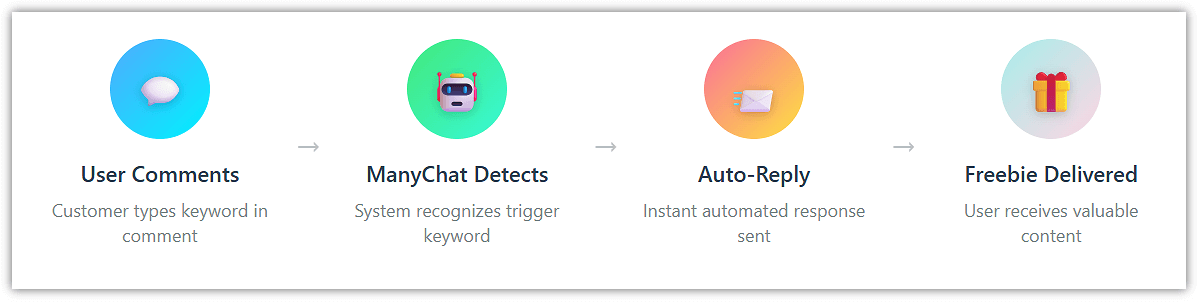
You’re combining two things:
✅ Instagram’s built-in comments + DMs (where your audience is already active)
✅ ManyChat’s automation (which handles the follow-up for you)
Instead of telling people to “click the link in bio” or waiting for them to DM you, you set up a small system where:
👉 When someone comments a specific keyword on your Instagram post or story, ManyChat automatically sends them a DM with whatever you promised — a free checklist, a swipe file, a mini training, or just a quick resource to help them out.
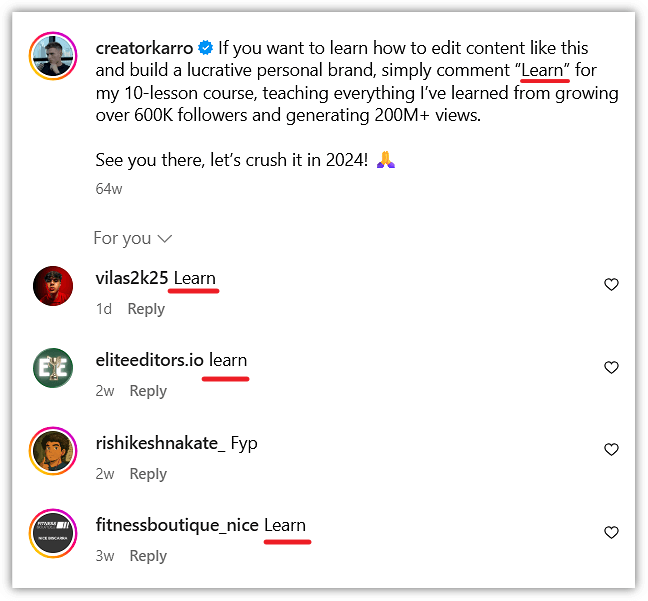
So here’s what happens:
Instead of leaving people waiting or checking your DMs every five minutes, the system takes care of it for you.
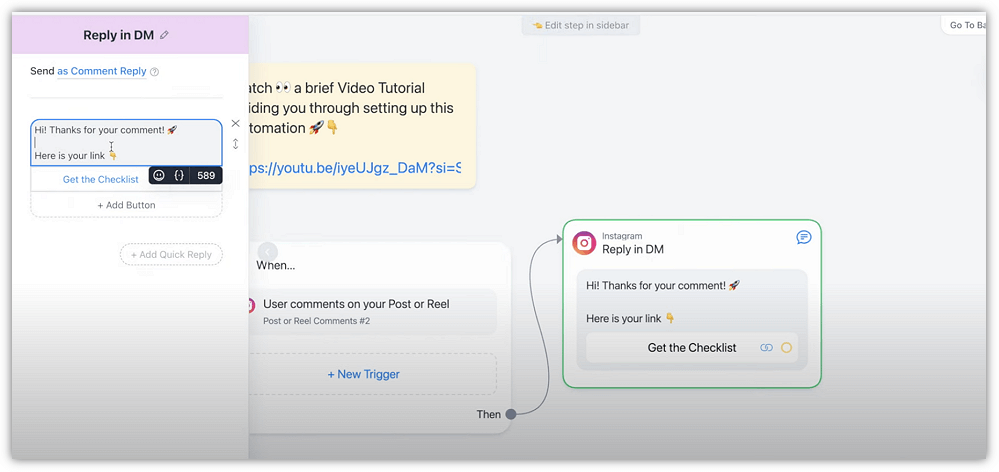
They get the freebie or resource you promised, automatically.
That means you don’t have to keep sending the same message or link over and over.
It just runs in the background, making sure people get what they came for, while you stay focused on the bigger stuff.
It’s a small setup, but once it’s running, it helps you stay organized and responsive — without adding extra work to your day. 🚀
🏗 How to Set It Up (Step by Step)
✅ Step 1: Join ManyChat (if you haven’t already)
Go to ManyChat, sign up for a free account, and connect your Instagram.
✅ Step 2: Create a juicy, curiosity-driven post or story
Example:
“Want my free checklist that doubled my opt-ins?
Comment ‘CHECKLIST’ below, and I’ll DM it to you!”
✅ Step 3: Inside ManyChat, set up a comment trigger
Link the keyword (like “CHECKLIST”) to an automated DM flow.
Inside the DM, deliver the freebie + invite them to the next step (such as your lead magnet funnel or mini offer).
✅ Step 4: Test it live
Comment yourself, ensure the flow triggers, and verify that the links or downloads work smoothly.
🔥 Why This Hack Works So Well
This works crazy well — and once you try it, you’ll see why.
First, you’re inviting people to comment… which instantly boosts your post in the algorithm 💥
More comments = more visibility = more eyeballs on your content (without spending a cent on ads).
Then the magic kicks in:
They get a DM. Automatically.
No waiting.
No “link in bio.”
Just straight-up value delivered right inside their inbox 📩
And because it feels personal — like a real conversation, not a funnel — people are way more likely to read it, click, and take action.
Plus… let’s be honest:
You don’t want to spend your day copy-pasting the same message to 27 different people 🙄
This little setup handles that for you.
You just post → they comment → the system takes care of the rest.
💡 More engagement. More conversations. More leads.
All without lifting a finger once it’s set up.
Not bad, right? 😎
🚀 Your Action Step
👉 Set up one post or story this week using a ManyChat DM keyword trigger.
It doesn’t have to be perfect — just get the system live and start playing with it.
Once you see how easy it is to turn Instagram activity into real leads, you’ll wonder why you weren’t doing this months ago. 💥
Let me know if you want me to create swipe examples, post templates, or full ManyChat flow drafts for this!